


The verdict in 10 seconds
OpenSource CMS like WordPress were born as blogging platforms in 2003. KeideaCMS is an infrastructure engineered for businesses in 2026. They are not the same category of prodotto.La difference in terms of performance is remarkable. Also read the insights and tests carried out to understand how slow Wordpress can be and what the alternatives are
The comparison at a glance
No need for 20 pages of analysis. Here's what really changes between WordPress and KeideaCMS for your company.
| Feature | WordPress | KeideaCMS |
|---|---|---|
| Hidden costs | Plugins, themes, maintenance | Everything included, no surprises |
| Monthly maintenance | Mandatory continuous updates | None, we take care of it |
| Loading speed | Often slow (too many plugins) | Under one second, always |
| Security and GDPR | Frequent vulnerabilities | Built-in enterprise security |
| Ease of use | Complex interface | Intuitive, only what you need |
| Built-in SEO | Requires plugins (Yoast, RankMath) | Native Meta, Schema.org, Sitemap |
| Technical support | Forums and community | Direct and dedicated, in Italian |
| Data ownership | The data is yours | The data is yours, always exportable |
The 3 problems WordPress doesn't tell you about
What web agencies don't tell you when they recommend WordPress "because it's free".
WordPress: The Myth of Free
WordPress is free only on paper. The real cost easily exceeds €3,000 a year. With KeideaCMS you invest in your business, not in software updates.
- premium hosting
- paid themes
- essential plugins for SEO and security
- developer hours to keep everything up to date
An easy target for hackers
Over 11,000 vulnerabilities discovered in 2025 alone. Every plugin you install is a potential entry point for cybercriminals. KeideaCMS uses a proprietary, closed architecture: no third-party plugins, no public security flaws. Your data is safe.
- Vulnerable plugins
- Need for constant updates
- Third-party extensions for security
Slowness that drives customers away
An average WordPress site loads dozens of unnecessary scripts before showing any content. 53% of users abandon a site that takes more than 3 seconds to load. KeideaCMS is designed to be lightning fast: top scores on Google's Core Web Vitals from day one.
- Loading of unnecessary scripts
- Slow loading times
Already using WordPress and tired of constant issues?
Our team can migrate your content to KeideaCMS without losing SEO rankings. No downtime, no data loss.
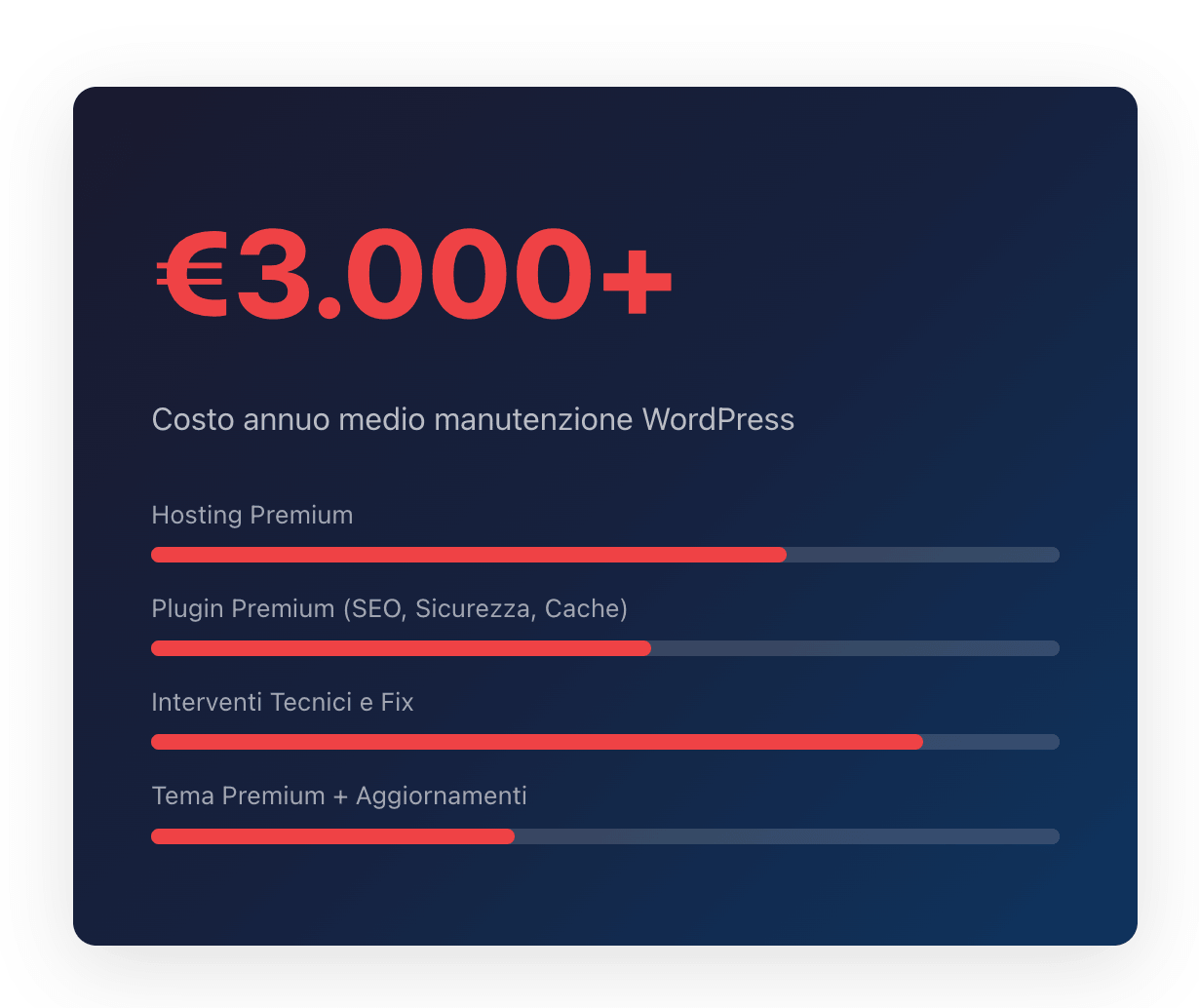
How much does it really cost to manage a WordPress site?
Many agencies offer WordPress because it's easy to install, but they hide the management costs. Every month you'll have to pay for plugin updates, backups, security and resolving conflicts between components.
KeideaCMS eliminates this fixed expense: the platform is stable, secure and doesn't require ongoing maintenance. Your budget can finally go towards marketing, not technical support.
Zero costs for premium plugins
Zero emergency interventions
Zero hours lost on updates
Infrastructure managed by our team
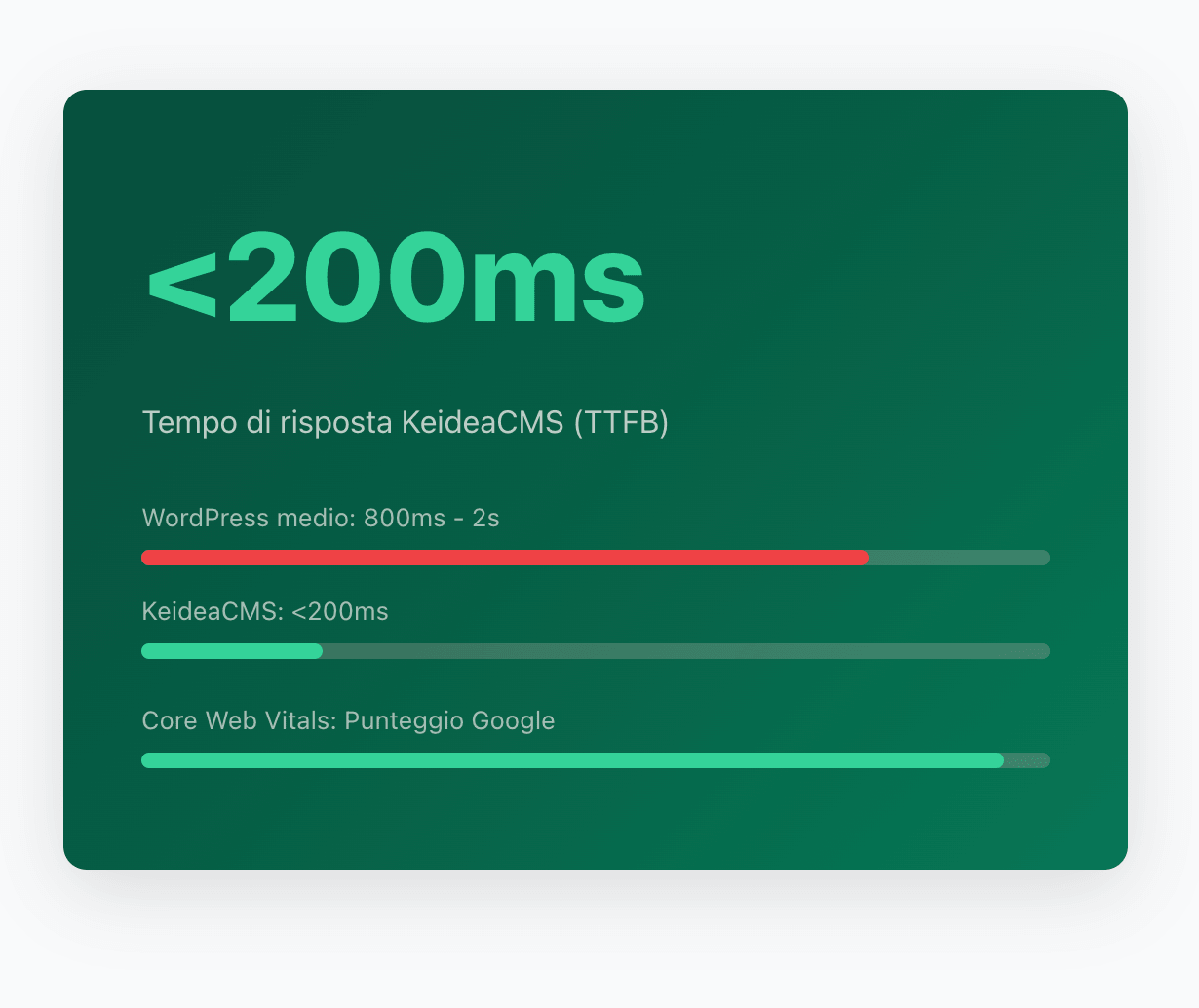
My site is slow. Can KeideaCMS fix the problem?
Absolutely yes. WordPress is a "heavy" system that has to load code for features you might never use. Every plugin adds scripts, stylesheets and database queries.
KeideaCMS uses a modern architecture that loads only the code strictly necessary for the requested page. The result? Loading times under one second, happier customers, and Google rewarding your site in search results.
Native response time under 200ms
Images automatically compressed and converted to WebP
Core Web Vitals optimized from day one
No caching plugin needed
Why choose KeideaCMS
It's not just a CMS. It's an infrastructure designed to grow your business worry-free.
Enterprise Security
Zero Maintenance
Built to Measure
Native SEO
Easy to Use
Direct Support
Want to check your WordPress site?
Find out your site's risk level by answering 5 questions
The technical comparison, feature by feature
For those who want to go deeper: here's the full detail.
| Feature | WordPress | KeideaCMS |
|---|---|---|
| Architecture | Legacy code since 2003, layered over 20 years of backward compatibility | Modern MVC architecture, clean code, zero technical debt |
| Security | Exposed admin panel (/wp-admin). 11,000+ vulnerabilities in 2025 | Front-end and back-end physically separated. Encrypted data |
| Performance (TTFB) | 800ms-2s (depends on plugins). Requires a caching plugin | Native <200ms. No caching plugin needed |
| Maintenance | Continuous updates of core, theme and plugins. Risk of crashes | Zero maintenance on the user side. Managed by the Keidea team |
| SEO | Requires Yoast/RankMath. Markup not always clean | Meta tags, Schema.org, XML sitemap, clean URLs built into the core |
| GDPR / Cookies | Requires plugins (Complianz, CookieBot). Additional costs | Native Cookie Management. Built-in consent management |
| Images | Requires plugins (ShortPixel, Imagify). Pay-per-use costs | Automatic compression and WebP conversion on upload |
| Total Annual Cost | Hosting + plugins + maintenance + emergencies = €3,000-8,000+ | Initial investment + managed infrastructure. Zero hidden costs |
| Data ownership | The data is yours (if you manage the hosting) | The data is yours. Full export. Zero vendor lock-in |
Free Audit
Find out how much you're wasting with your current website.
Our technicians analyze your current stack — hosting, plugins, maintenance — and show you the real cost over 3 years. Free, no obligation.
Find out how much you're wasting →The verdict?
WordPress is great for those who want a DIY blog over the weekend. But if your website is a critical tool for your company's revenue, relying on a vulnerable system that depends on third-party plugins is a risk you can't afford.
Compare KeideaCMS with other CMS
KeideaCMS vs Shopify KeideaCMS vs Joomla KeideaCMS vs PrestaShop KeideaCMS vs Wix